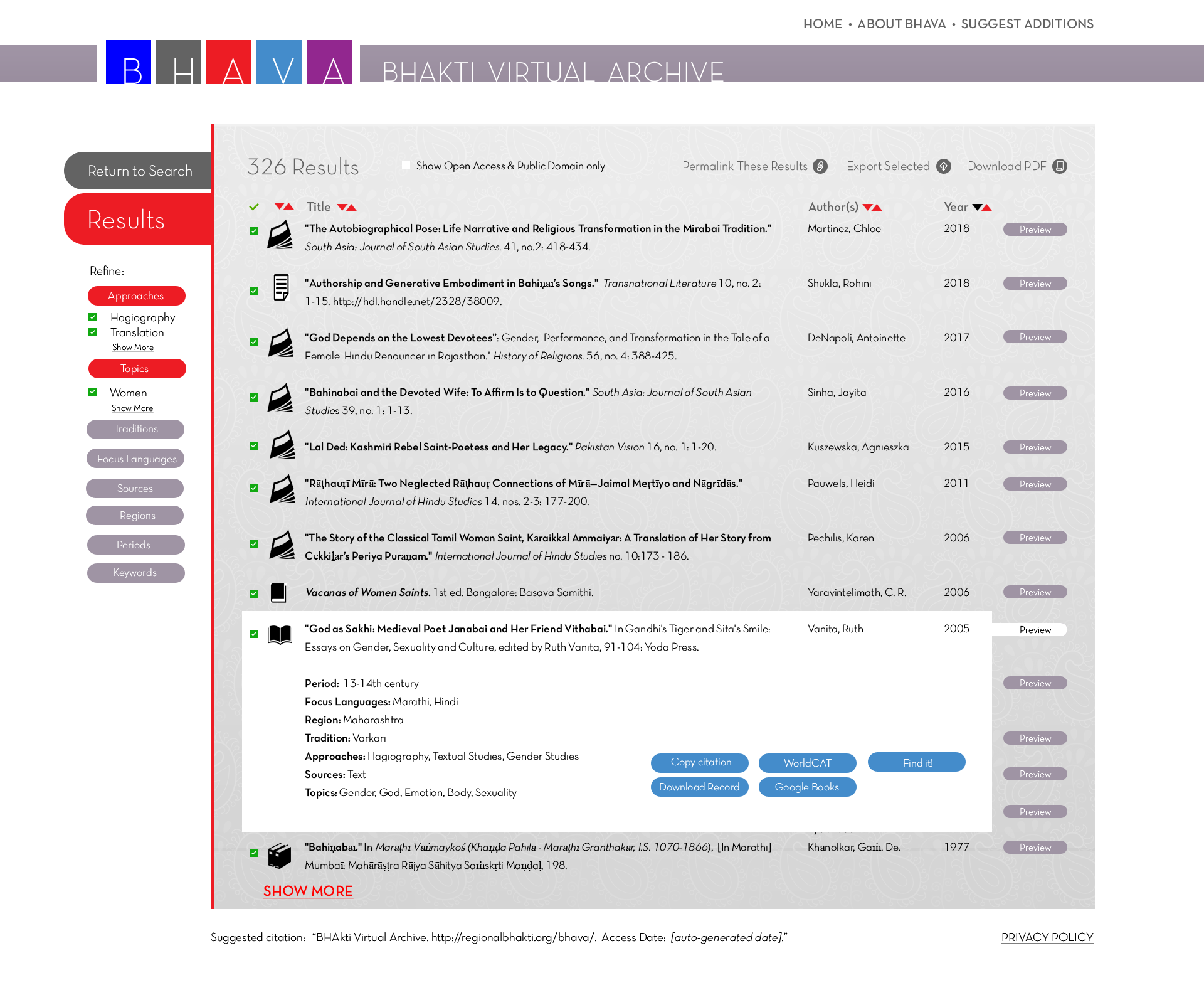
11. Hovering over the "Preview" button pops up a box with additional information, along with buttons of quick links. Which buttons will appear is determined by the references and linked open data within the record. All previews will contain buttons enabling the user to copy the reference to the clipboard and download the single record. Records for a book or book chapter potentially would generate buttons that link (through API integration) to WorldCat, GoogleBooks, Archive.org, Hathi Trust, and a library catalog near the user via the “Find It!” button. These buttons would call up external sites to acquire the source or pursue further research. A record for a journal article would allow users to follow the article’s DOI to its online location with a publisher or journal database.
This results list page will need to be developed further to help users easily navigate long lists of records that cannot be displayed on a single screen.
Finally, click the image below to view a single record’s detailed results screen.