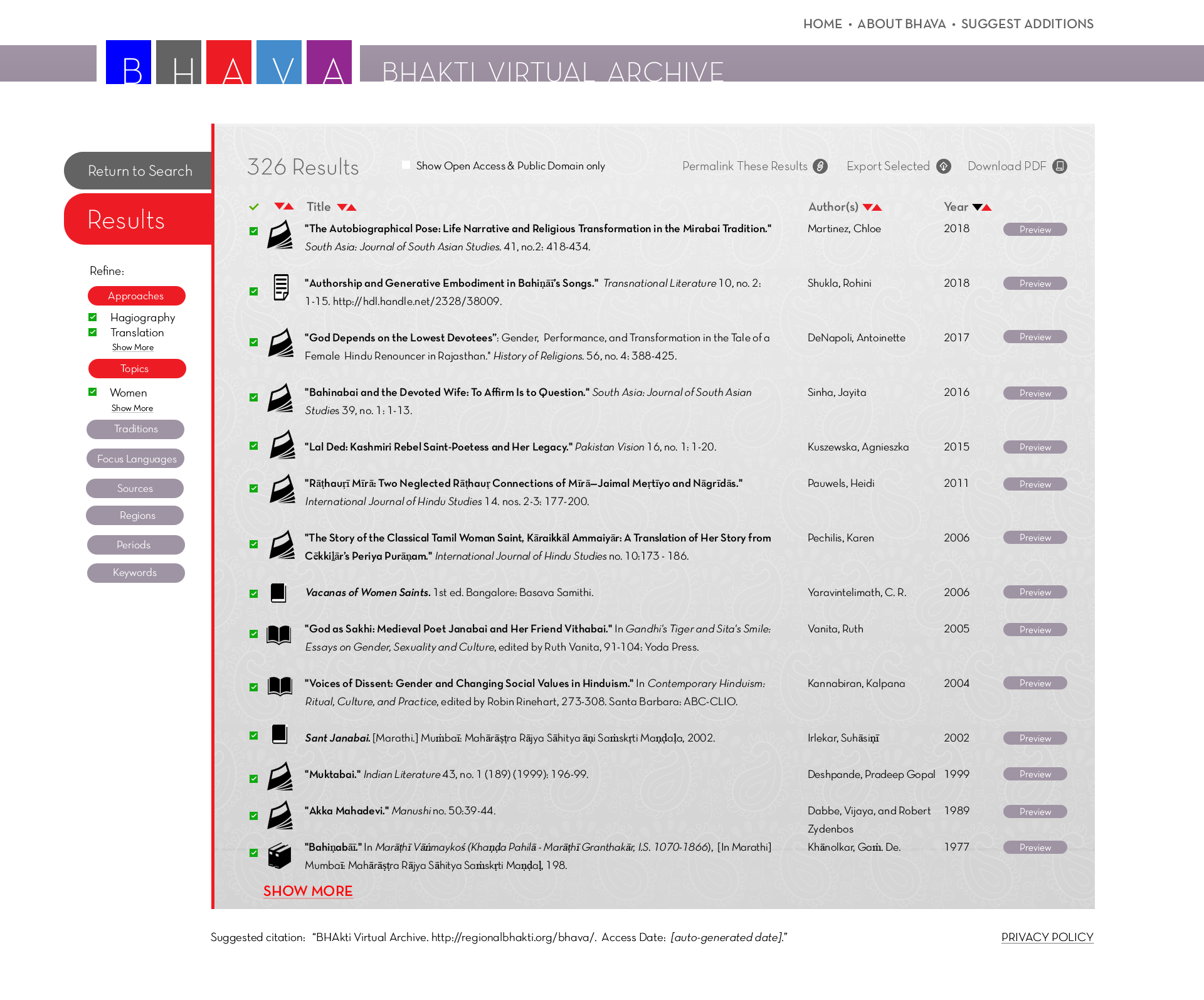
10. The left sidebar displays the parameters that were used to arrive at the results shown. These could be further tweaked in real time. (Note again that the parameters and results shown here are an imagined search and its results, for illustration purposes only.)
Results are sorted by publication year by default but can be resorted by item type, title, or author. The user may limit the results to only those that are freely available full text by clicking the box at the top. The user may create a permanent link to this particular search and its results, export all or a subset of the results in RIS, CSV, XML, and RTF formats, or download the list as a PDF. Note the presence of “Suggest Additions” in the upper right, which would allow users to send suggestions to the site coordinator for how to expand BHAVA.
To view the full details of a single record, a user would click on the title. Alternatively, a user could hover over the "preview" buttons on the right to see some important details while still remaining on the results list page.
Click on the image to view what would happen if the user hovers over a preview button.